A faster Word-to-print workflow for formatters and small presses.
Standardize repeat interiors without buying another seat, learning a desktop layout suite, or rebuilding every finished Word manuscript by hand.
Pack economics
Credits do not expire. Each credit unlocks one book project after its watermarked preview has been reviewed.
Built around a production handoff
Receive the final DOCX
Use a client’s finished Word manuscript or import an eligible project from SelfPublishing.pro.
Review structure once
Confirm chapters, front matter, back matter, tables, images, and subheadings before layout.
Reuse consistent choices
Choose trim, typography, spacing, chapter starts, headers, and page numbering through book-specific controls.
Proof before committing
Inspect the watermarked PDF, revise it, and unlock the clean output only when it is ready.
Estimate production time returned
This is a planning calculator, not a performance guarantee. Enter your own typical manual time and expected review time.
Good production fit
Novels, memoirs, business books, academic-style notes, and conventional nonfiction produced from well-structured Word files.
Quality controls
Content-retention warnings, font-glyph auditing, margin-aware images, bookmarks, and clean-versus-preview download gating.
Know when to route out
Fixed-layout picture books, magazines, and art-directed workbooks still belong with a human page designer.
What actually costs a formatter time
The slow part of interior formatting is almost never the typography. It is the repetition: applying the same mirrored margins, the same chapter-opening drop, the same running-head rules and the same front-matter numbering to a manuscript that arrived in whatever state the author left it in, and then doing it again next week for a different book.
A desktop layout suite is superb at the one-off and indifferent to the repeat. Every title still begins with an import, a style mapping and a walk through the document looking for the places the author used a manual line break where a paragraph style belonged. Two hours of that per book is normal, and none of it is design work you could show a client.
DocToPrint attacks that middle layer rather than the design. It reads the structure already implied by the Word heading styles, proposes a book made of front matter, chapters and back matter, and hands you the proposal to correct. You are editing decisions instead of rebuilding a document, and the decisions you make are per-book settings rather than a style sheet you have to maintain.
That is also the honest limit of the tool. It will not make a badly structured manuscript into a well structured one, and it will not invent a design. What it removes is the mechanical hour.
The production loop, one title at a time
The workflow is deliberately linear, which matters more in a shop than it does for a single author: anyone on your side can pick up a half-finished title and see exactly which screen it stopped on.
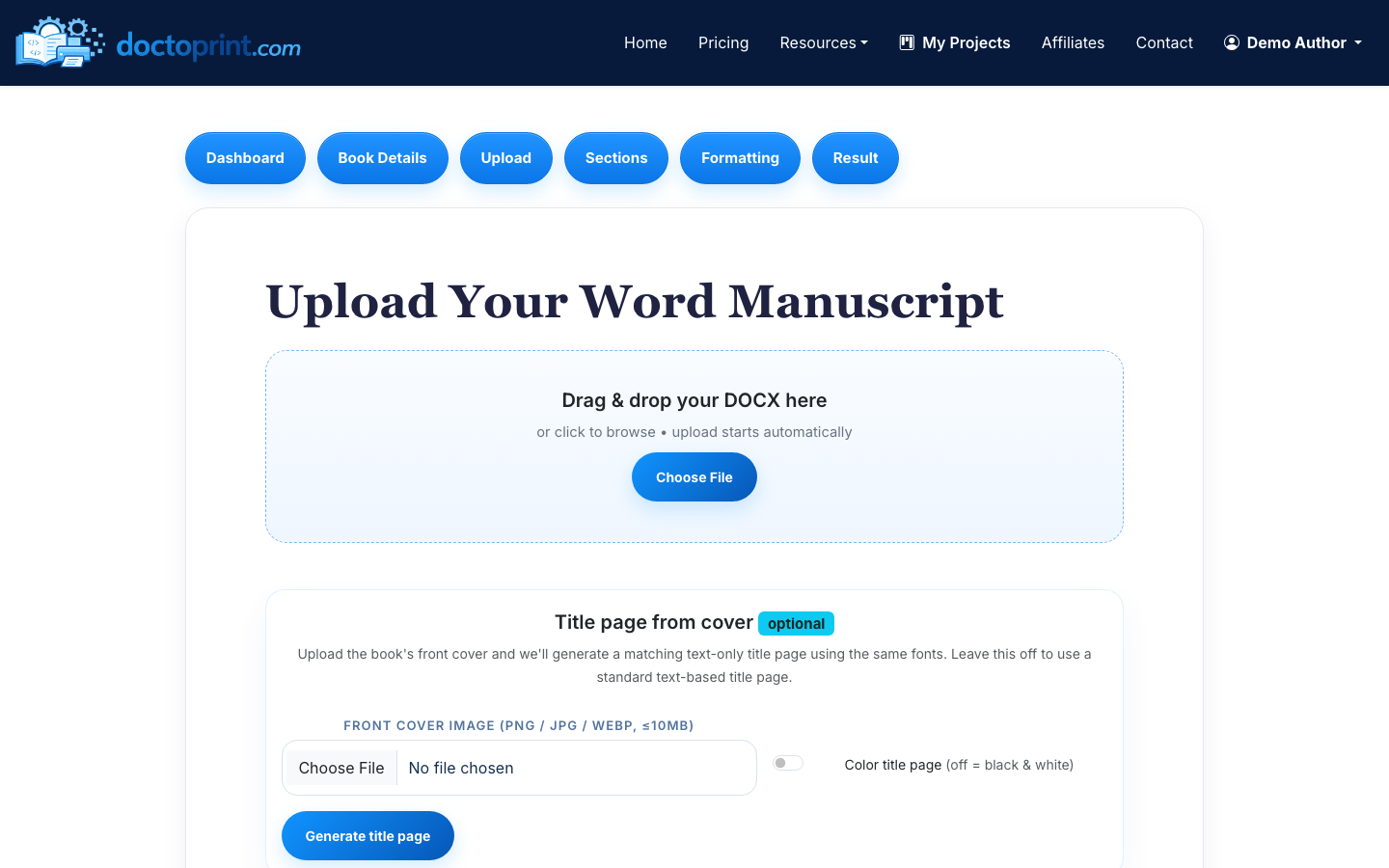
- Take in the final DOCX. Use the client's finished Word file, or import an eligible project straight from SelfPublishing.pro. DOC and DOCX are both accepted. Take the file the author signed off on, not a working copy — the credit binds to the manuscript you upload.
- Confirm the structure once. The parser sorts the file into front matter, chapters and back matter, and shows you tables, images and subheadings as it found them. This is the step worth your attention. A dedication that the author styled as Heading 1 arrives as a chapter, and thirty seconds of correction here is cheaper than a regeneration later.
- Set the interior. Trim size — 5 × 8, 5.5 × 8.5, 6 × 9 or 8.5 × 11 — paper colour, body and heading faces, line spacing, chapter-start behaviour, drop caps, and where the folios sit. The gutter and outside margins come from the trim you pick rather than from you.
- Proof on the watermarked file. Generate a preview and read it. Change anything, generate again. Previews are unlimited and free, so the review loop with your client costs nothing but the minutes.
- Unlock when it is signed off. One credit releases the clean print-ready PDF and the formatted Word source for that title. After that, regenerating the same book with different settings costs nothing further.
One credit, one book — what a press needs to know
A credit is tied to a title, not to a render. Once a project has spent its credit and has a manuscript attached, that project is locked to that manuscript. Re-uploading the identical file is allowed, so a double click never costs anything, but swapping in a different manuscript is refused rather than quietly charged.
This is worth designing your intake around. Open one project per title, name it the way the book will be named in print, and do not recycle a finished project as a shell for the next client. The settings are cheap to re-enter; the credit is not.
Revisions inside a title are free in both directions. If the author comes back wanting a different trim or a different heading face after the clean file was released, you change the setting and regenerate the same project. If a render fails, or the file is diverted for validation, the credit is returned to the pack rather than lost.
Credits themselves never expire, which is the part that makes packs work for seasonal shops. Buying twenty-five in January and spending the last of them in November costs the same $9.48 a book as spending them all in a fortnight.
Checking a batch before it goes to the printer
The failures that matter in a print interior are systematic. They are invisible on a screen at fifty per cent zoom and obvious in a bound proof, and because they are systematic they appear on every page of a three-hundred-page book. Four checks catch nearly all of them, and they take about two minutes per title.
First, the contents page: do the numbers point at the pages the chapters actually start on? Second, the chapter openings: does every chapter drop the same distance, with the same spacing above the first line? Third, the running heads: do they carry the right chapter, and do they stay off the chapter-opening pages, where convention says they do not belong? Fourth, the folios: nothing on the front matter, arabic numbering from the first page of chapter one, nothing on a deliberately blank verso.
Run those four on the watermarked preview, before the credit is spent. A watermarked preview comes off the same layout pipeline as the clean file, so anything you can see in one is in the other.
If something is genuinely wrong with a generated interior rather than wrong with the settings, there is a Human Fix request on the result page. A person looks at the file instead of leaving you to guess which control caused it.
When to route the work somewhere else
An automatic formatter is the wrong answer for a book whose pages are design decisions. Fixed-layout picture books, cookbooks with bespoke spreads, magazines, art-directed workbooks and photography monographs all belong with a page designer working in a layout suite, and no amount of setting-fiddling will change that.
DocToPrint also formats interiors only. It does not design covers, it does not calculate a full cover wrap with a spine, and it does not edit the prose. Because interior page count drives spine width, the interior should be finished before the cover art is commissioned, not after.
Knowing where that line sits is the useful part. Novels, memoirs, business books, conventional non-fiction and academic-style texts built from well-structured Word files are exactly the work this is for. Anything that needs an art director is not, and saying so early is cheaper than saying so at proof stage.
Step-by-step guides
What formatters ask before buying a pack
Do pack credits expire?
No. Credits from the ten- and twenty-five-book packs stay on the account until they are used, with no monthly fee and no renewal date.
Is there a per-seat licence for a small press?
No. Pricing is per formatted book, not per seat or per year. A pack is bought once and drawn down as you produce titles.
Can I reuse one credit across two different manuscripts?
No. A credit binds to the project it was spent on, and once that project has a manuscript attached, uploading a different file is refused. Re-uploading the identical file is always allowed, so repeated clicks never cost anything.
What happens if a render fails?
The credit is returned to the pack. The same applies when a file is diverted for validation instead of being rendered, so a failed job never costs a book.
Can I change the formatting after I have spent the credit?
Yes. Regenerating the same project with different settings costs nothing further, so client revisions after sign-off are free.
Does it produce a cover as well as the interior?
No. DocToPrint formats the inside of the book. Cover wraps and spine calculations are a separate job, and the interior should be finished first because its page count sets the spine width.
Can I bring work over from SelfPublishing.pro?
Yes. An eligible SelfPublishing.pro project can be imported directly rather than exported and re-uploaded by hand.
Related DocToPrint pages
Test the workflow on a real manuscript before buying a pack.
The watermarked preview uses the same layout pipeline as the clean file.
Create a Free Account